SOV NETWORK

A sovereign network you actually own

One human, one wallet. Own your identity, your money, your messages, and your voice in how the rules are written — on a network no company controls and no government depends on.

SOV isn't a blockchain — it's a sovereign, proof-of-personhood mesh: self-contained nodes, one human one wallet, no central operator, no app store.

What SOV is

Not a blockchain — a Sovereign Mesh. Self-contained nodes gossip peer-to-peer with no centre, and its one new idea is proof of personhood: one human, one wallet, proven by your own biometrics on your device. Identity, messaging, justice, and governance on one protocol.

One human, one wallet

Your palm is your key — processed on your device, never sent to a server. No bots, no fake accounts, no whales who joined a hundred times. Everyone counts equally.

Your money, your rules

Send SOV in seconds for a tiny, capped, citizen-voted fee that flows to the people running the network — not a bank. Fixed 50,000,000 supply.

Messaging & justice built in

Messages route through standard ports and work behind firewalls; no content ever touches a relay. Disputes are settled by randomly-selected citizen juries, not courts.

Owned by the people who run it

Self-contained nodes, no central operator list, no single switch to flip. Anyone can run one, and earn for keeping the network alive.

A visual tour of the app

Real screens from the SOV app. The phone app and the desktop app look the same — only the desktop can also run a Full Node.

1

Join in a few taps

Your palm is your key — no password, no username. One human, one wallet.
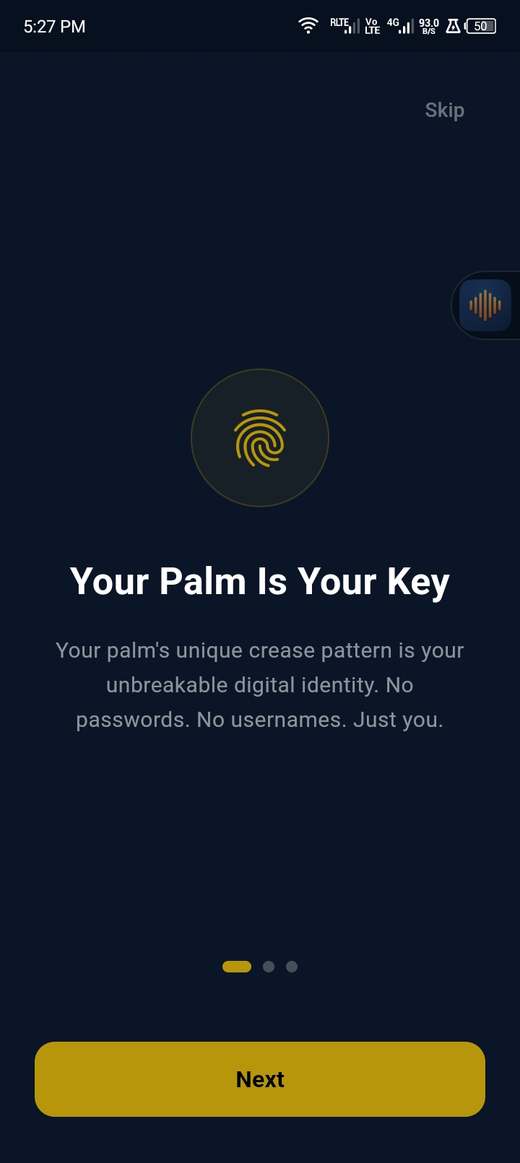
Your palm is your key

Your palm is your key

Phone (APK)

The onboarding explains it: your palm's crease pattern is your unbreakable identity.
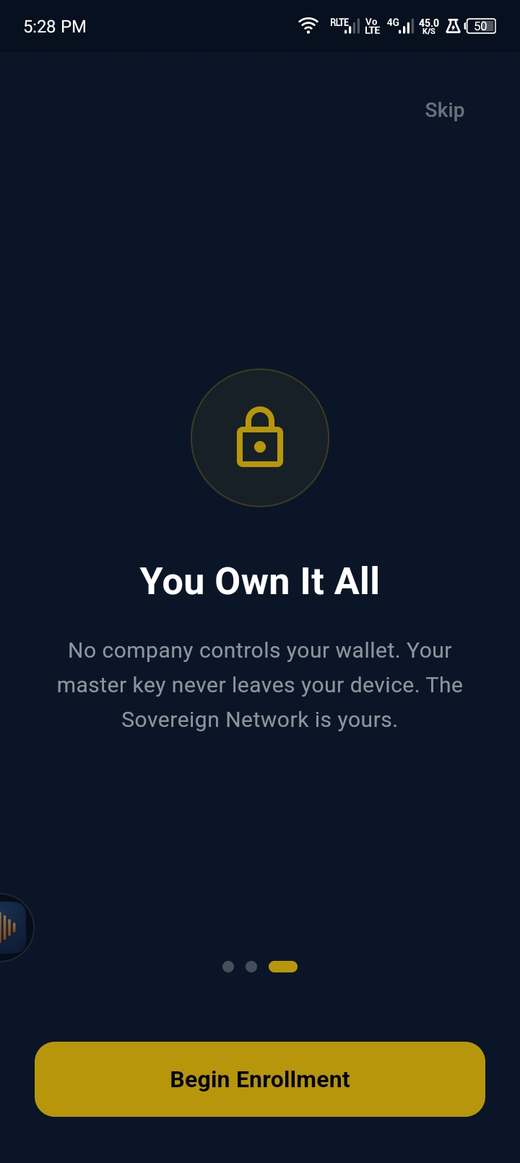
Begin enrollment 1

Begin enrollment

Phone (APK)
  1. Tap "Begin Enrollment" to create your wallet
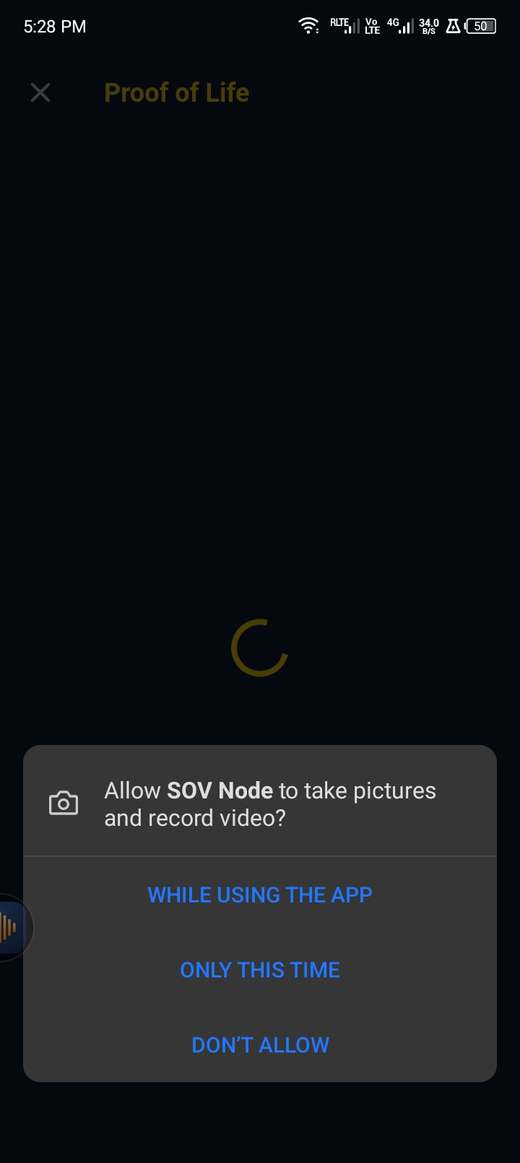
Allow the camera 1

Allow the camera

Phone (APK)
  1. Tap "While using the app" — needed for the liveness + palm scan
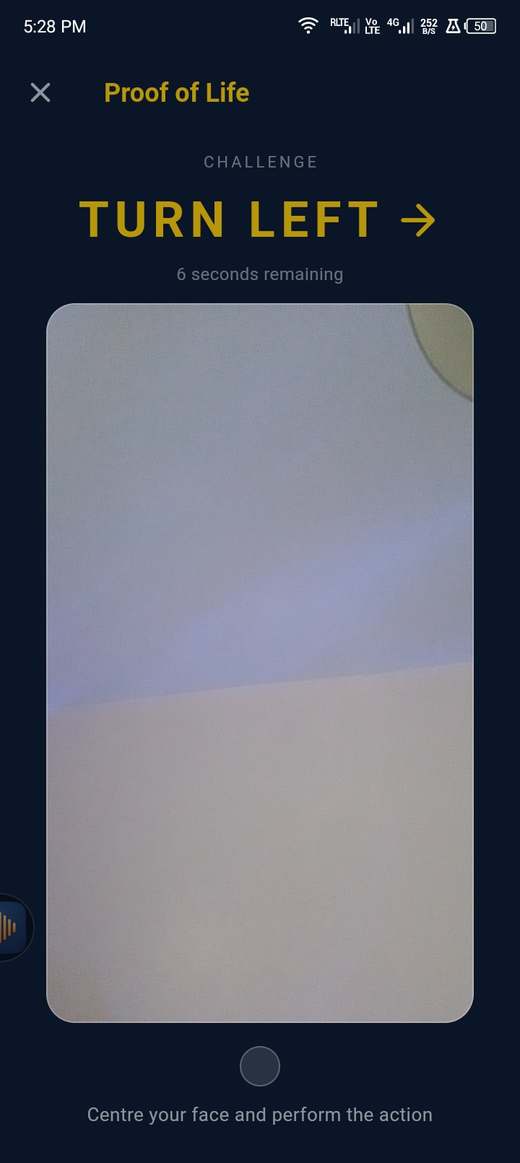
Prove you're a live person 1

Prove you're a live person

Phone (APK)
  1. Follow the on-screen challenge — turn your head the way the arrow points, so no photo or video can fake it
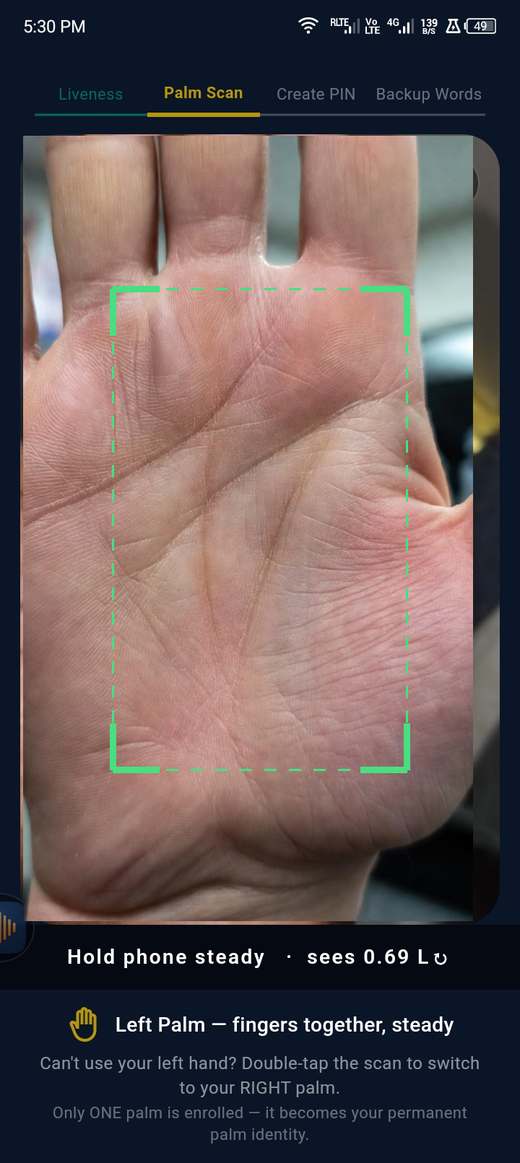
Scan your palm 1

Scan your palm

Phone (APK)
  1. Hold your open palm inside the frame until it locks (green corners)
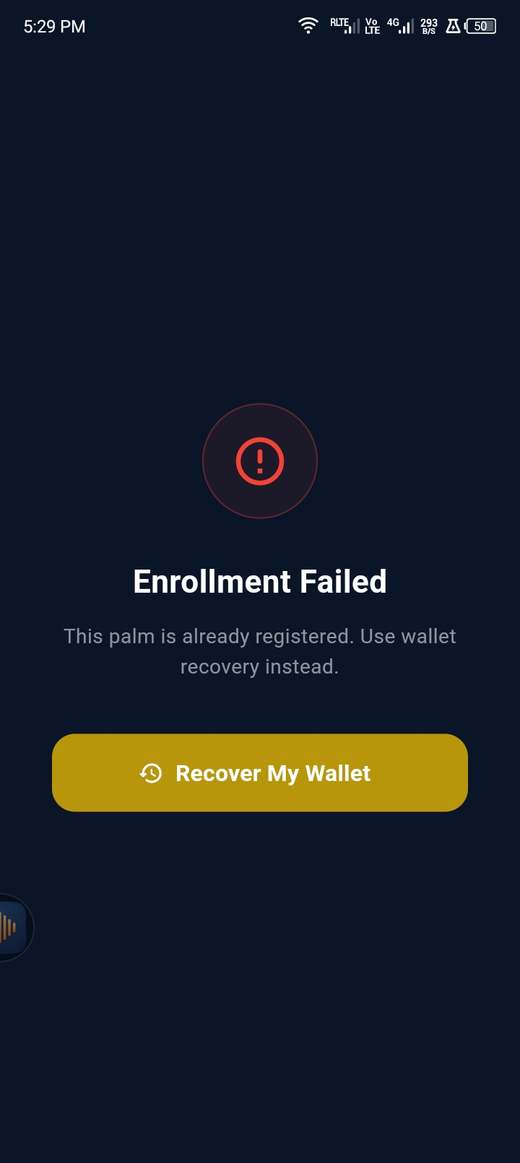
One human = one wallet 1

One human = one wallet

Phone (APK)
  1. If your palm is already enrolled, tap "Recover My Wallet" instead of making a second account
2

Lost your phone? Take your wallet back

Nothing from the old device is needed. Your wallet is rebuilt from something only you hold — your words, your backup file, or your guardians.
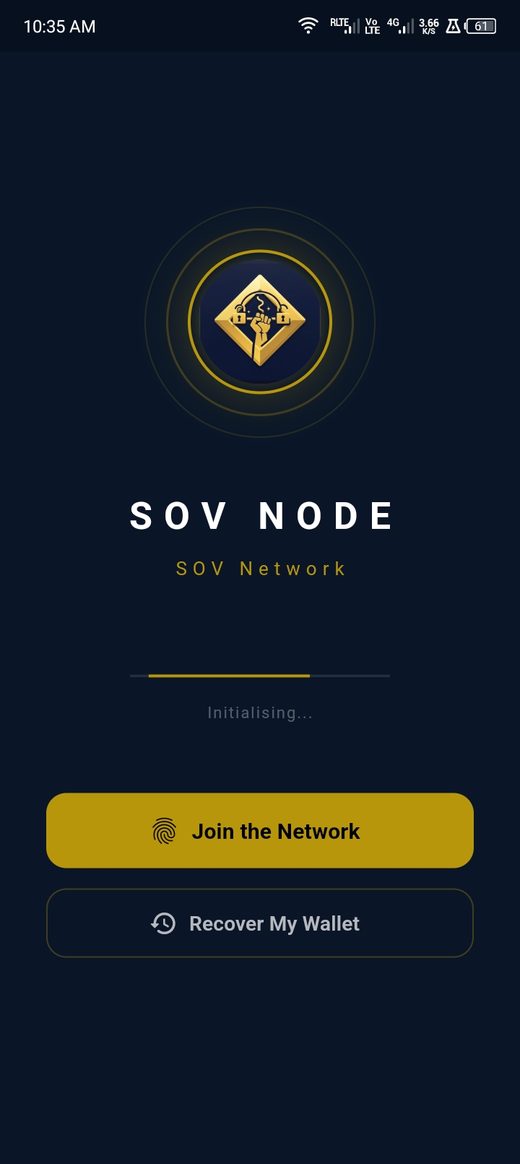
Recover My Wallet on a fresh install 1

Start on a new device

Phone (APK)
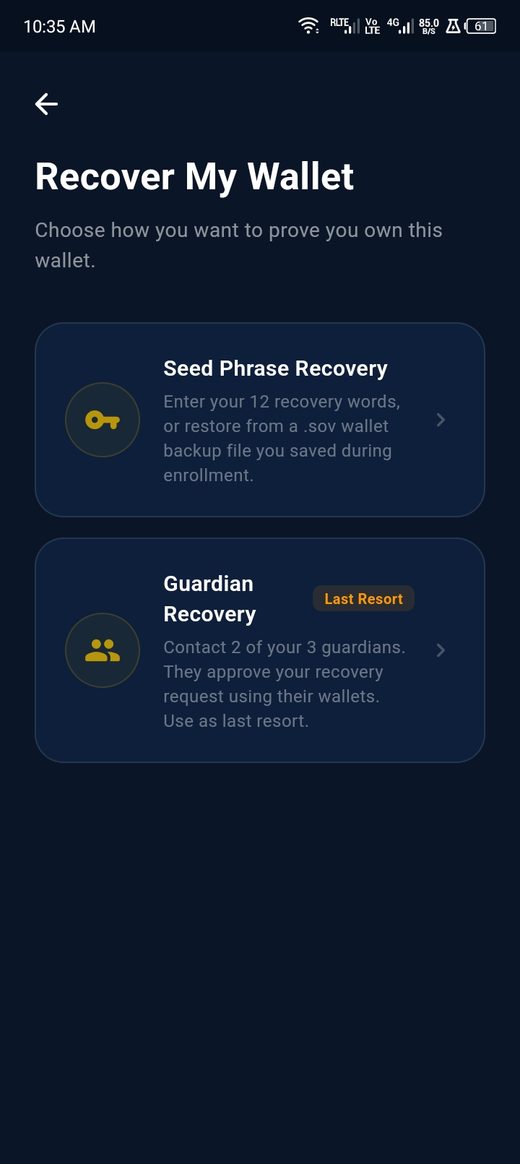
  1. On a fresh install tap Recover My Wallet — not "Join the Network". Joining again would try to create a second account, which one human = one wallet refuses
Choose how to prove you own the wallet 1 2

Prove the wallet is yours

Phone (APK)
  1. Seed phrase — your 12 words, or the .sov backup file you saved when you enrolled
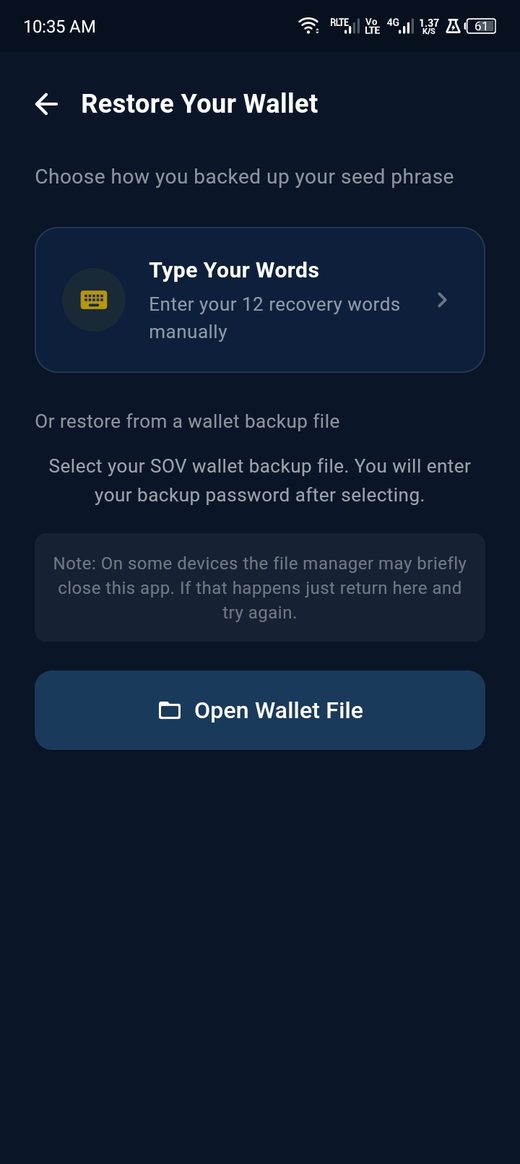
  2. Guardians — last resort, for when the words and the file are both gone
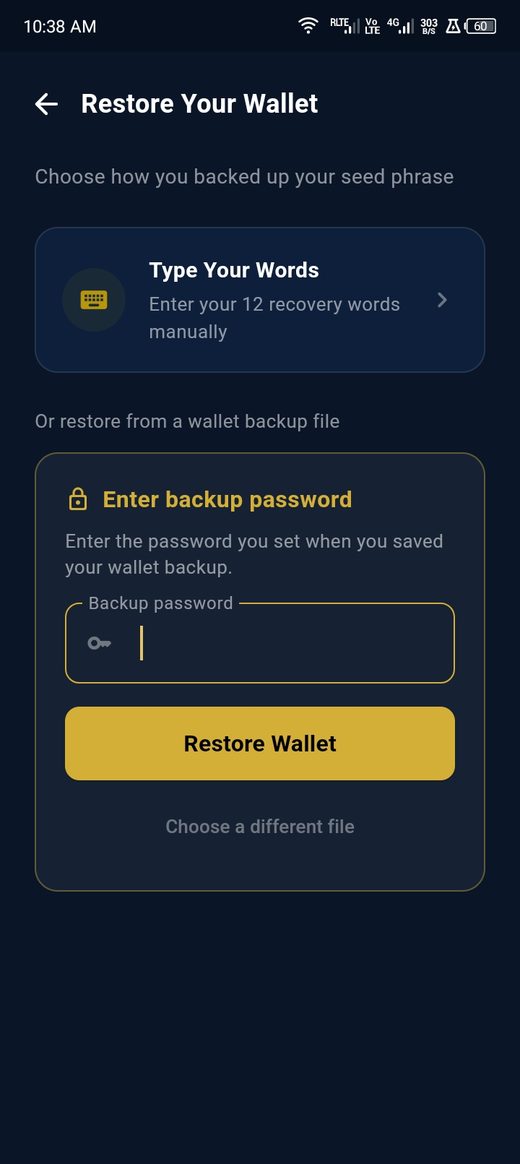
Type your words or open a backup file 1 2

Words, or the file

Phone (APK)
  1. Type the 12 words yourself
  2. Or open the backup file. On some phones the file picker briefly closes the app — that is the system, not a crash. Reopen SOV and it carries on
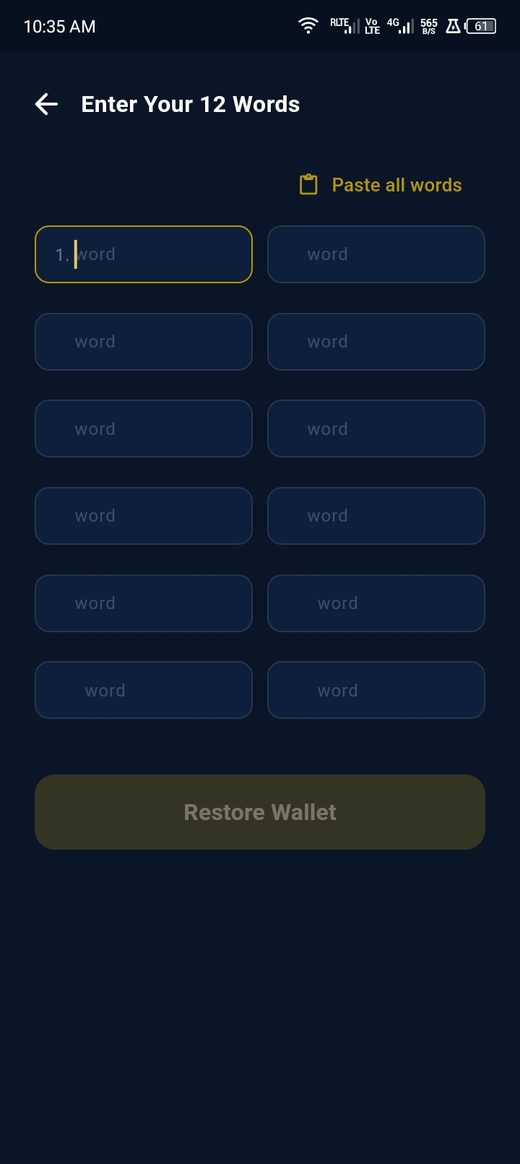
Enter your 12 recovery words 1 2

Your 12 words

Phone (APK)
  1. Paste all words fills every box at once if you copied them together
  2. Tap Restore Wallet. The words never leave the device — they rebuild the key here
Enter the backup file password 1 2

If you used the backup file

Phone (APK)
  1. Enter the password you set when you saved the file. The file alone is not enough — it is encrypted, so a stolen copy is useless without this
  2. Tap Restore Wallet
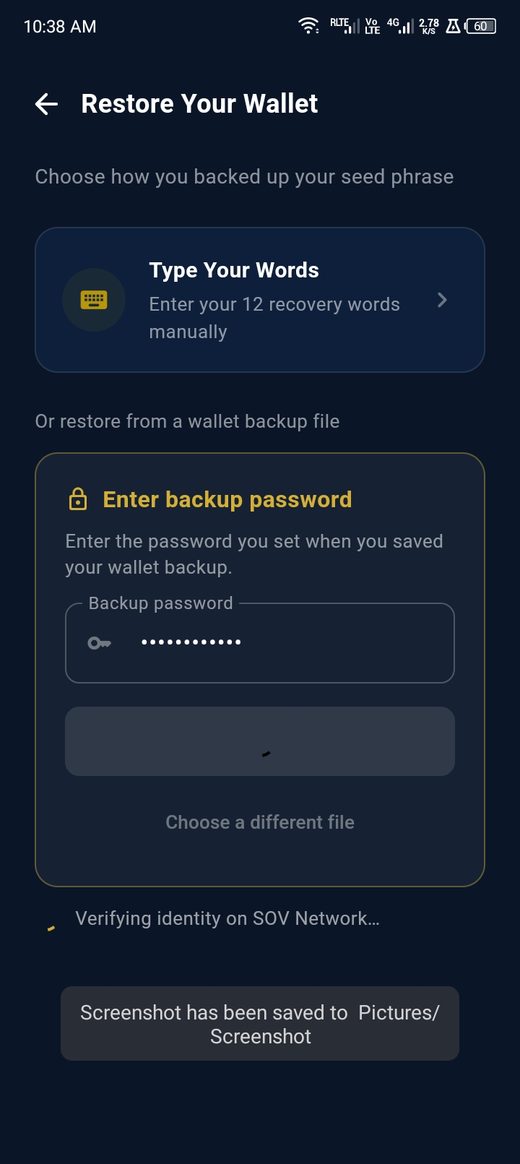
Verifying identity on the SOV Network 1

Back in

Phone (APK)
  1. The app checks your restored key against the network and your balance, messages and history come back. Nothing was ever held for you by a company — it was always derived from what you kept
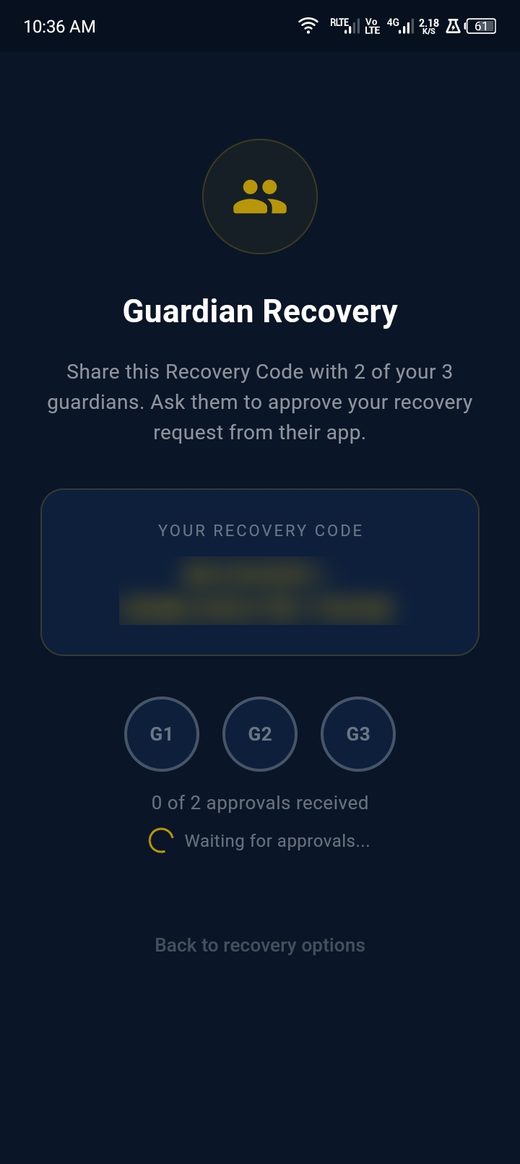
Guardian recovery, code blurred 1 2

Last resort: your guardians

Phone (APK)
  1. A recovery code appears (blurred here). Send it to your guardians — it is useless to anyone who is not one
  2. Two of your three must approve from their own wallets before the recovery completes. No single person, including us, can do it for you
3

Your money

Send, receive and hold SOV. Your balance lives on your device.
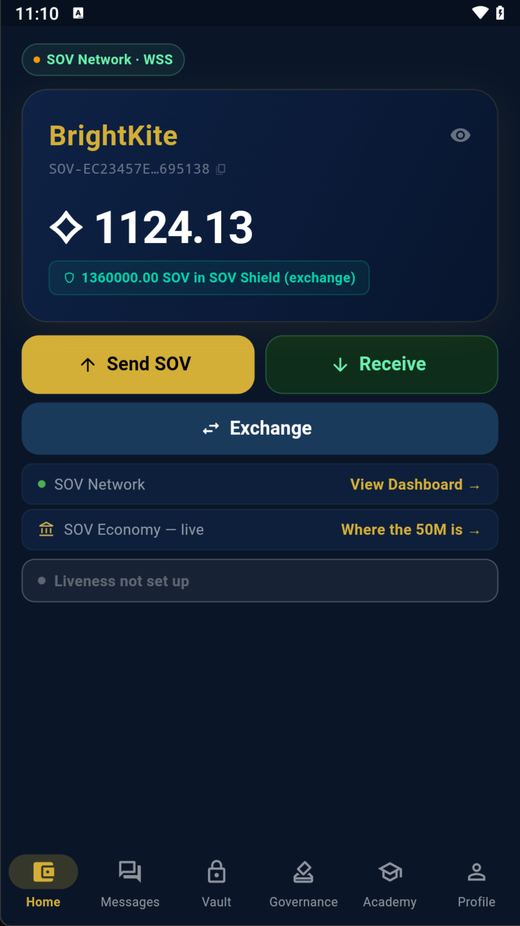
Home screen 1 2 3

Home

Phone + Desktop
  1. Send SOV to anyone by their Sovereign ID
  2. Receive — show a QR to get paid
  3. Exchange SOV for cash or services
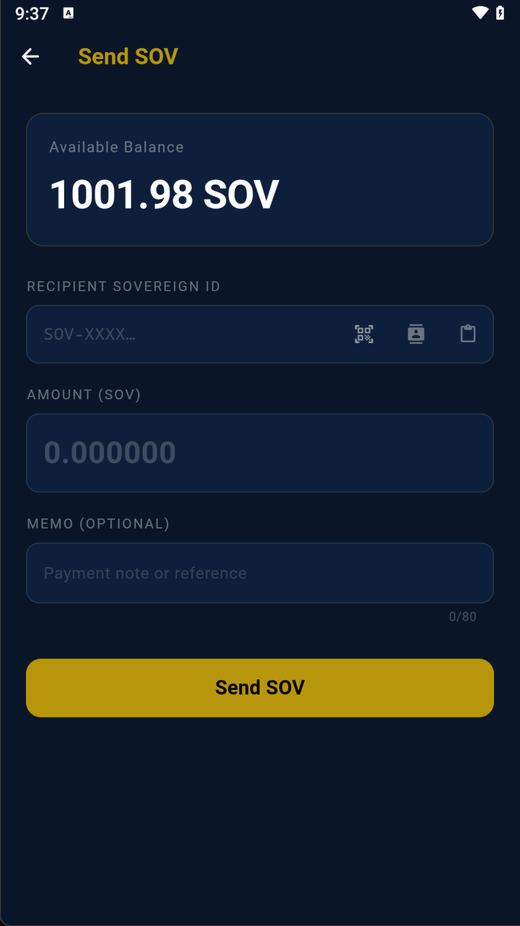
Send SOV 1 2 3

Send SOV

Phone + Desktop
  1. Paste the recipient's Sovereign ID
  2. Enter the amount
  3. Tap "Send SOV" — it arrives in seconds
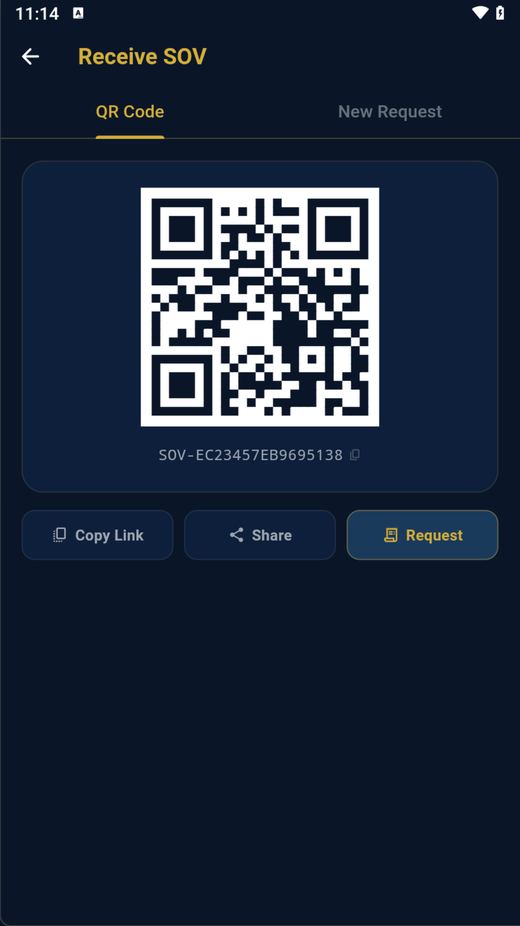
Receive SOV 1 2

Receive SOV

Phone + Desktop
  1. Your pay-to QR code — let anyone scan it to pay you
  2. Copy your ID, share it, or request a specific amount
4

The marketplace

Trade SOV peer-to-peer, or offer a service you're certified for.
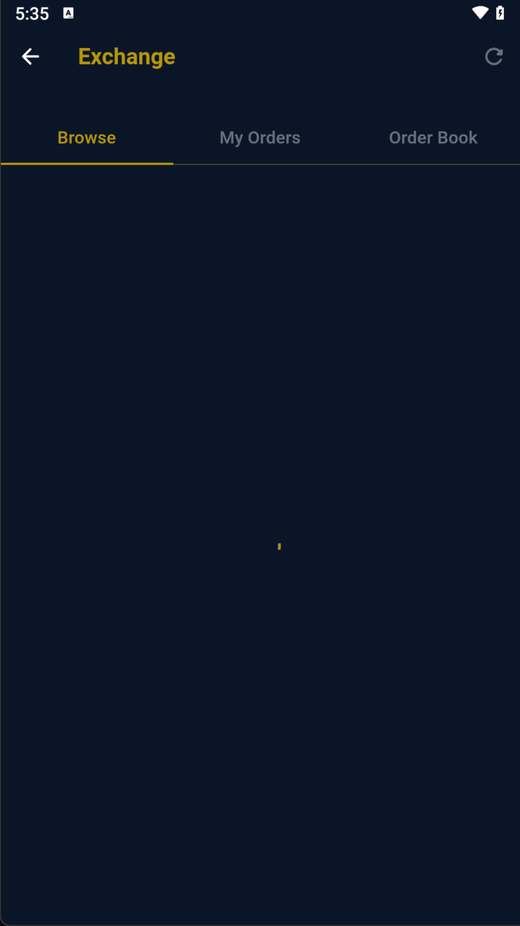
Exchange — browse offers 1

Exchange — browse offers

Phone + Desktop
  1. Browse citizens' offers and fill one — funds are escrowed until you confirm
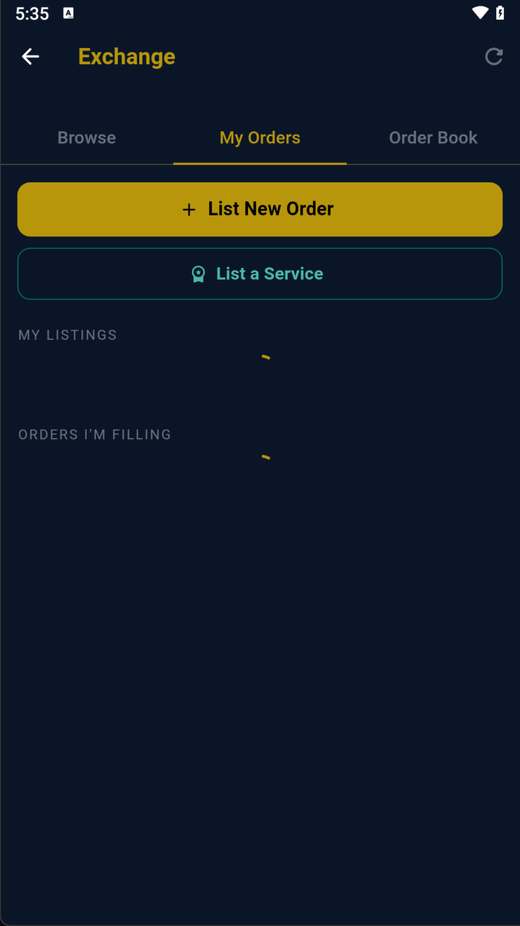
Exchange — sell or offer a service 1 2

Exchange — sell or offer a service

Phone + Desktop
  1. List SOV for sale at your price
  2. Or list a paid service your certification qualifies you for
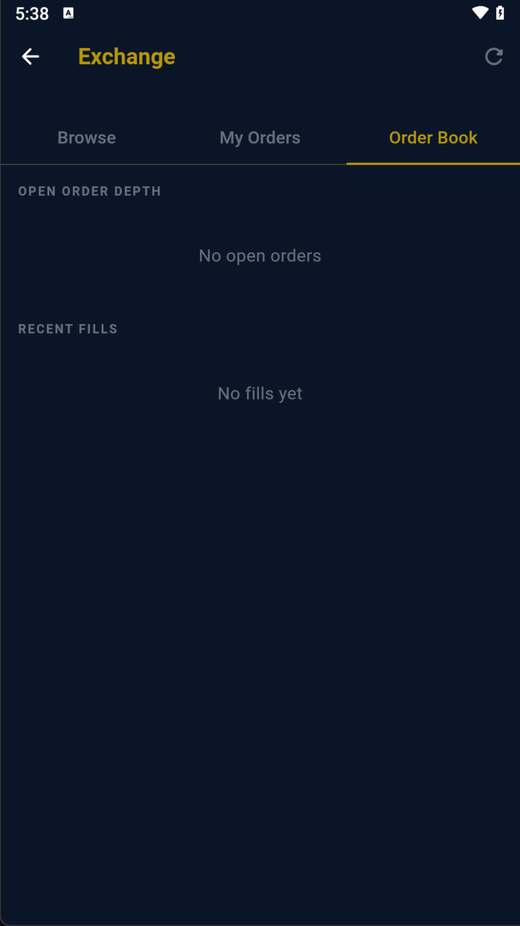
Exchange — order book 1

Exchange — order book

Phone + Desktop
  1. The live order book — open depth and recent fills, in the open
5

Messages — private chat + the public Enclave

Four tabs: encrypted 1-to-1 chat, your contacts, the public forum, and group chats.
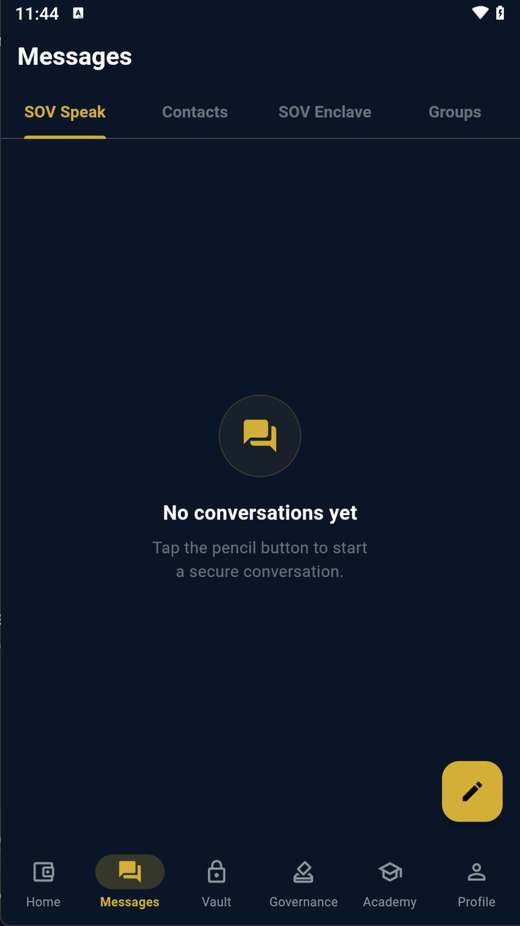
SOV Speak — encrypted messages 1 2

SOV Speak — encrypted messages

Phone + Desktop
  1. SOV Speak — private end-to-end encrypted chats
  2. Tap the pencil to start a new secure conversation
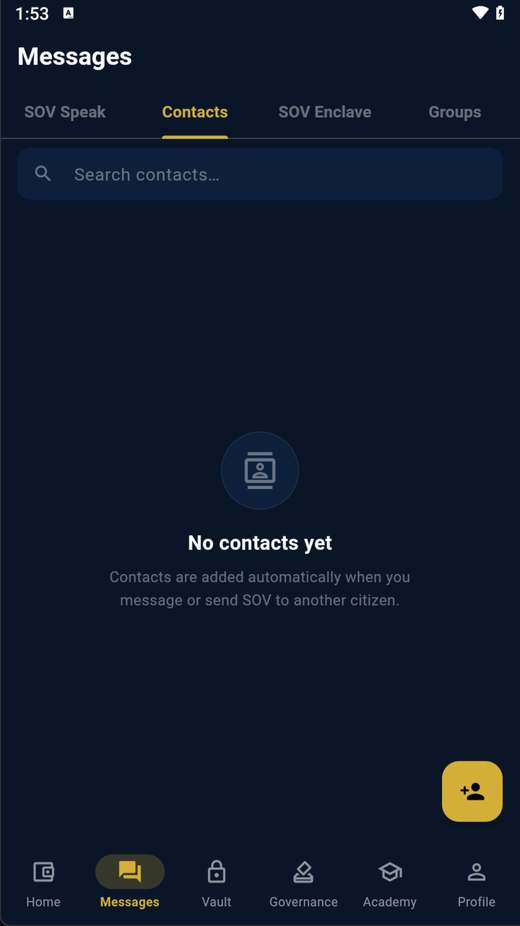
Contacts 1

Contacts

Phone + Desktop
  1. Your saved citizens — message or pay them in a tap
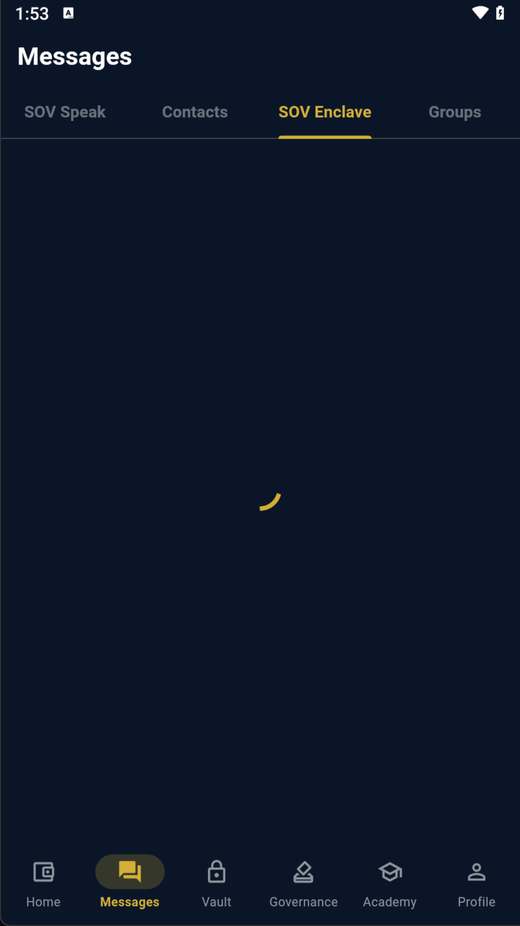
SOV Enclave — the public town square 1

SOV Enclave — the public town square

Phone + Desktop

The Enclave is citizen-governed: it goes live once citizens vote it on. Then any citizen can post — and any citizen can flag spam.
  1. SOV Enclave — activated by a citizen vote in the Constitution tab
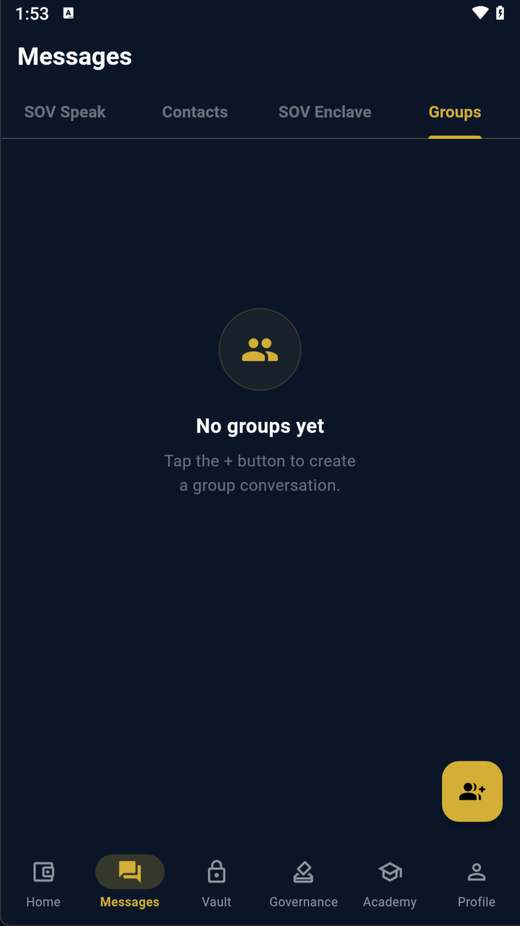
Groups 1

Groups

Phone + Desktop
  1. Group chats — many citizens, one encrypted thread
6

Vault — your funds can never be lost

Lock SOV for your family, claim an inherited vault, or serve on a recovery jury.
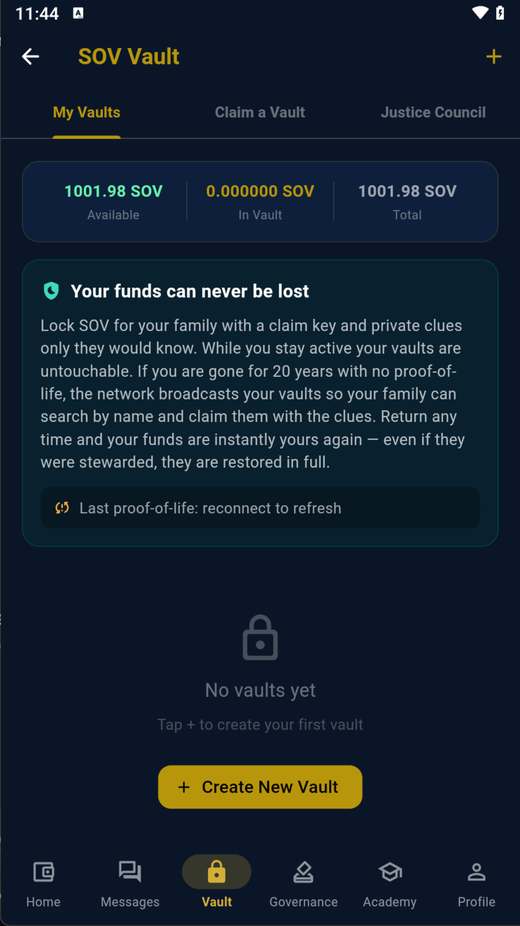
My Vaults 1 2

My Vaults

Phone + Desktop
  1. My Vaults — SOV you've locked away
  2. Create a vault — a family claim key + keyword, recoverable by a citizen jury if the key is ever lost
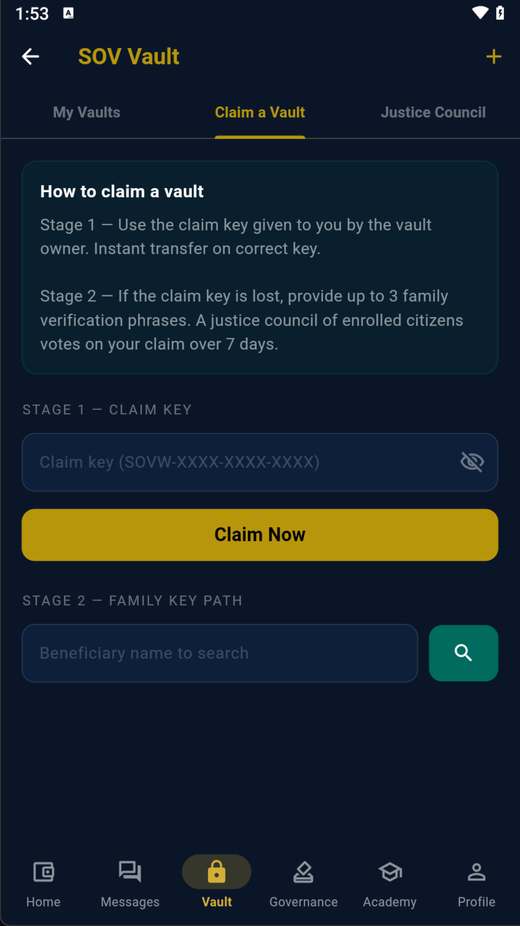
Claim a Vault 1

Claim a Vault

Phone + Desktop
  1. Claim a vault left to you — prove it with the family keyword
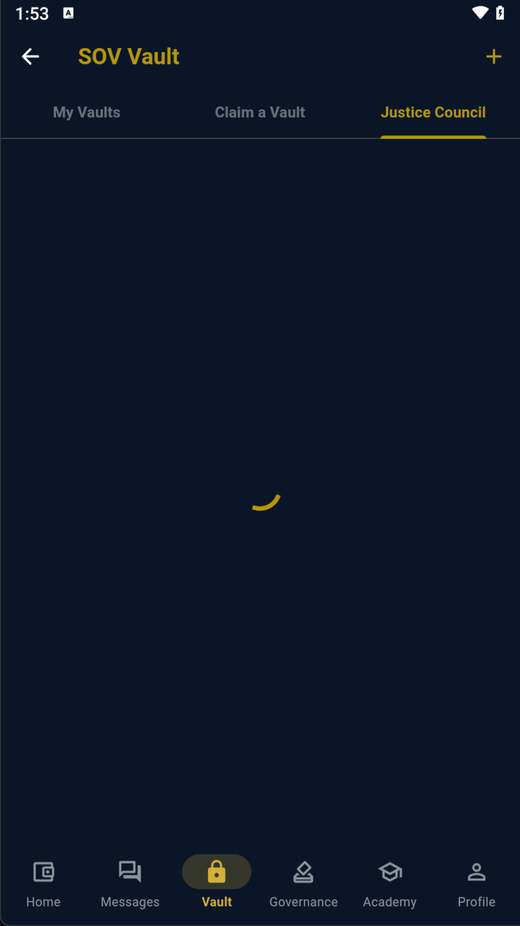
Justice Council 1

Justice Council

Phone + Desktop
  1. If chosen, you help a family recover a vault — citizens protecting citizens
7

Governance — the citizen government

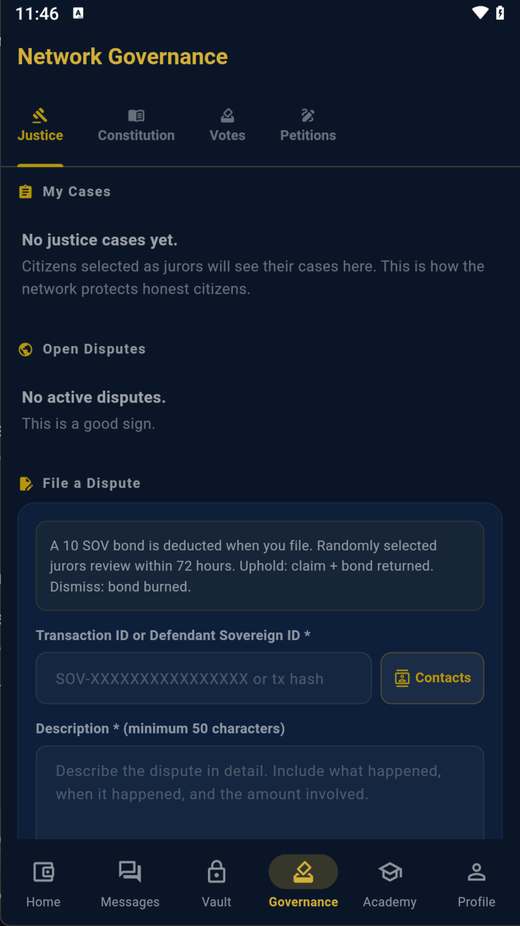
Four tabs: justice cases, the constitution, live votes, and petitions.
Justice 1 2

Justice

Phone + Desktop
  1. Justice — cases you're a juror on
  2. File a dispute with a 10 SOV bond — a random jury reviews it within 72 hours
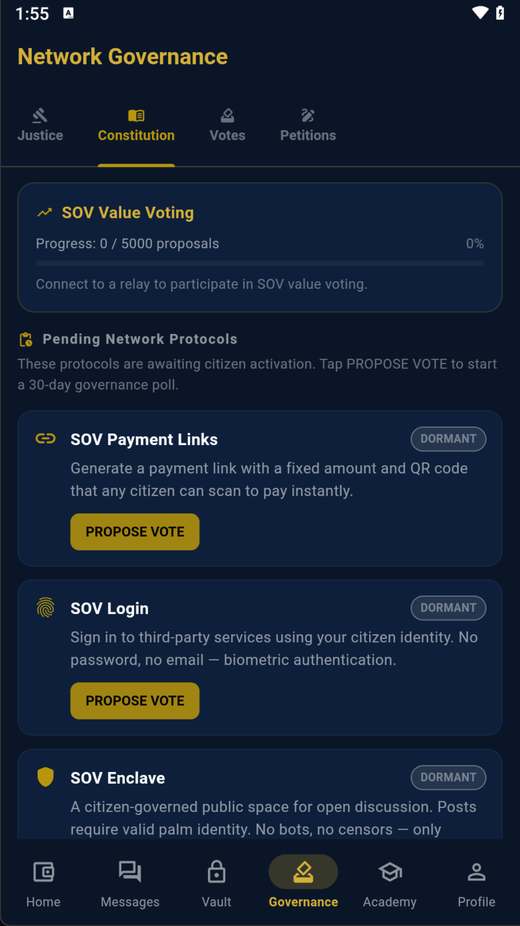
Constitution — turn protocols on 1

Constitution — turn protocols on

Phone + Desktop
  1. Vote protocols on or off — SOV Enclave, SOV Login, payment links and more
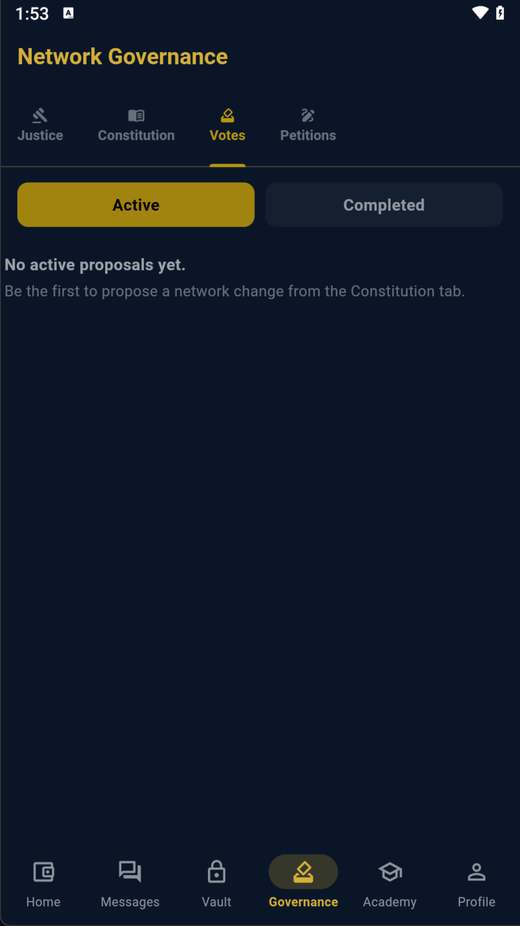
Votes 1

Votes

Phone + Desktop
  1. Every open vote — one enrolled human, one vote
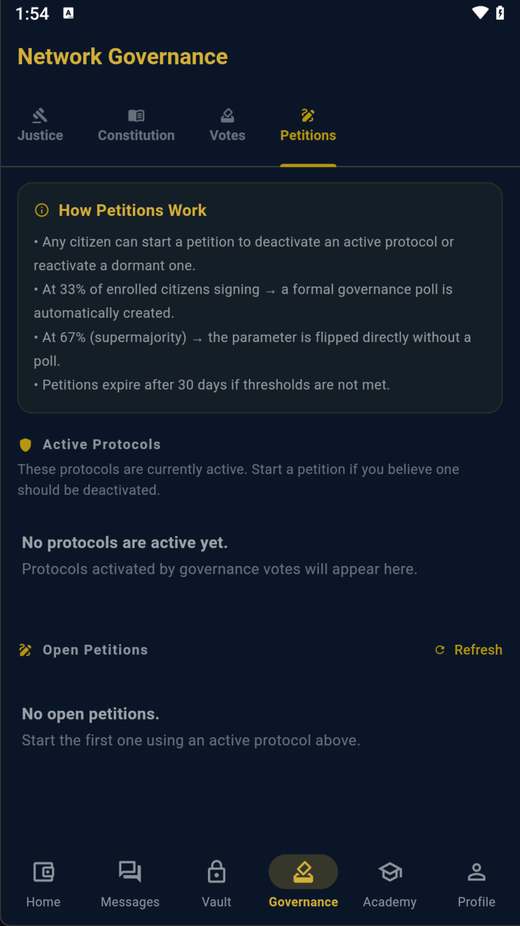
Petitions 1

Petitions

Phone + Desktop
  1. Start or sign a petition to force a network-wide vote
8

Watch the network

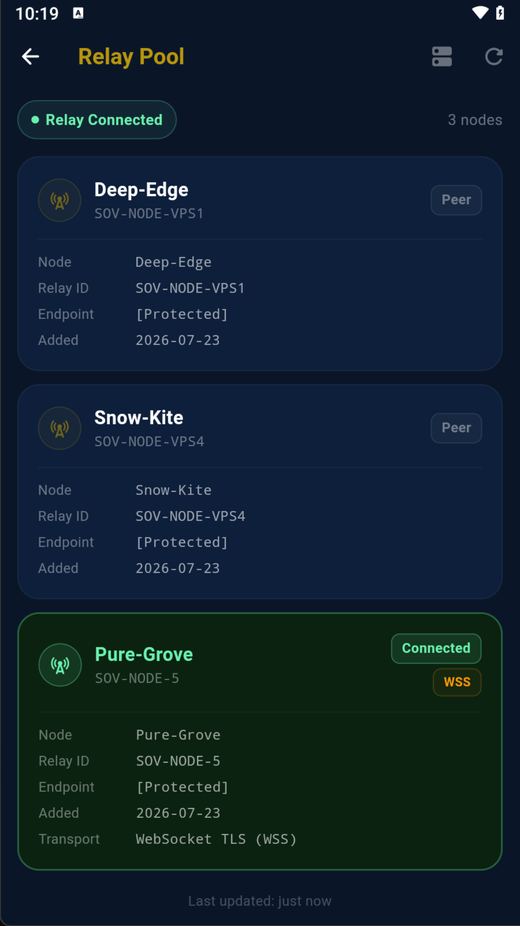
Anyone can see the network is healthy and honest — nothing is hidden.
The live network 1 2

The live network — the nodes you're connected to

Phone + Desktop
  1. Every node you're connected to, live — a green dot means connected
  2. The count of nodes carrying the network right now
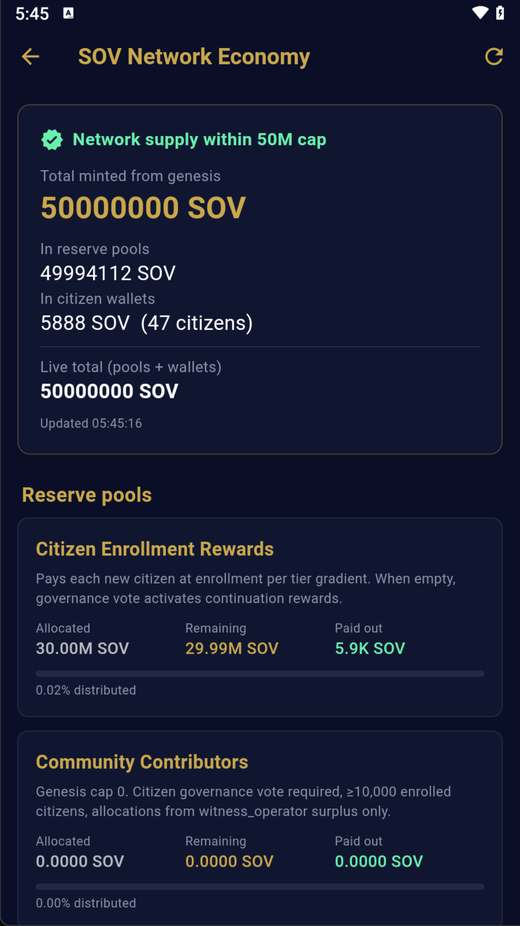
Economy — the 50M cap, in the open 1

Economy — the 50M cap, in the open

Phone + Desktop
  1. Pools + wallets always add up to the 50,000,000 cap — verify it yourself
Phone vs desktop: the two apps are the same, with one addition on the desktop (Windows / Mac): a Full Node switch on this screen. Turn it on and your computer helps carry the network and earns the operator payout. The phone app connects to nodes but does not run one.
📡 Full Node

This computer is serving the SOV network. Keep it on continuously (≥21 days) to earn the monthly operator payout — credited to your wallet.

⚡ Serving • uptime 6d 4h

WSS :443 mesh :7771 dashboard :8080

Operator dashboard: http://127.0.0.1:8080/dashboard

One switch. Turn it on and your PC carries the network and earns — the phone app connects to nodes but never runs one.
How citizens reach your home node 1 2 3

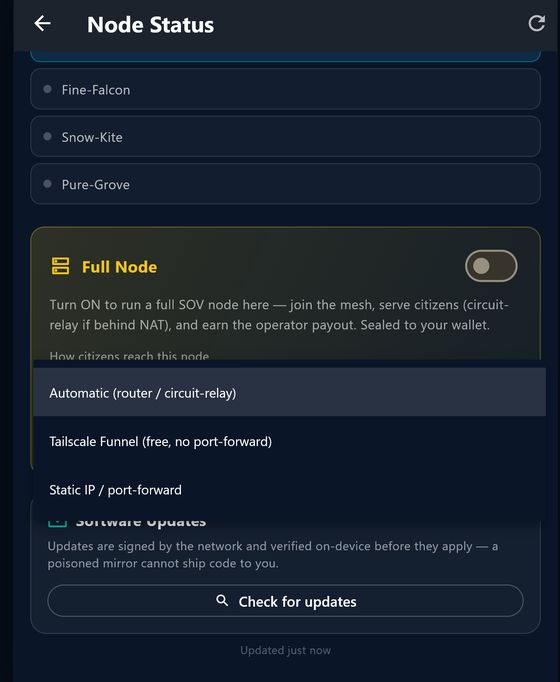
How citizens reach your home node

Full node

Behind home internet? Pick how people reach you — the node handles the rest.

  1. Automatic — router or circuit-relay through a public node (zero setup)
  2. Tailscale Funnel — a free public address, no port-forwarding
  3. Static IP / port-forward — if you run your own server

🛡️ When you turn the node ON, Windows will ask this

Windows Security

Do you want to allow public and private networks to access this app?

⬡ Node.js JavaScript Runtime

Allow Cancel ← click this

This is normal and safe. Node.js is the SOV node software running on your PC — clicking "Allow" lets other citizens reach your node so it can serve the network and earn your operator payout. It appears once per version. If you click Cancel, your node runs but stays invisible to other citizens.

9

Certify & stay secure

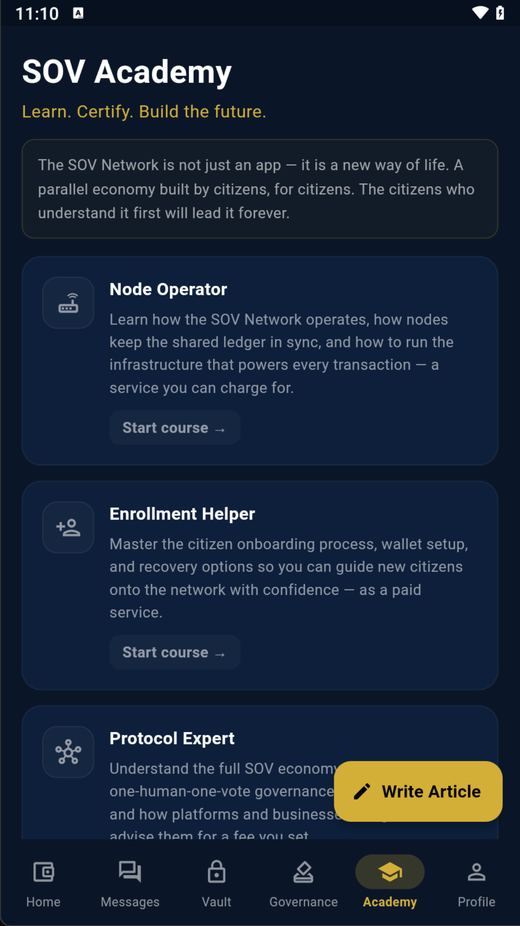
Turn knowledge into income, and lock your wallet down.
Academy — learn and certify 1

Academy — learn & certify

Phone + Desktop
  1. Take a track, pass the test, earn a certification you can charge clients for
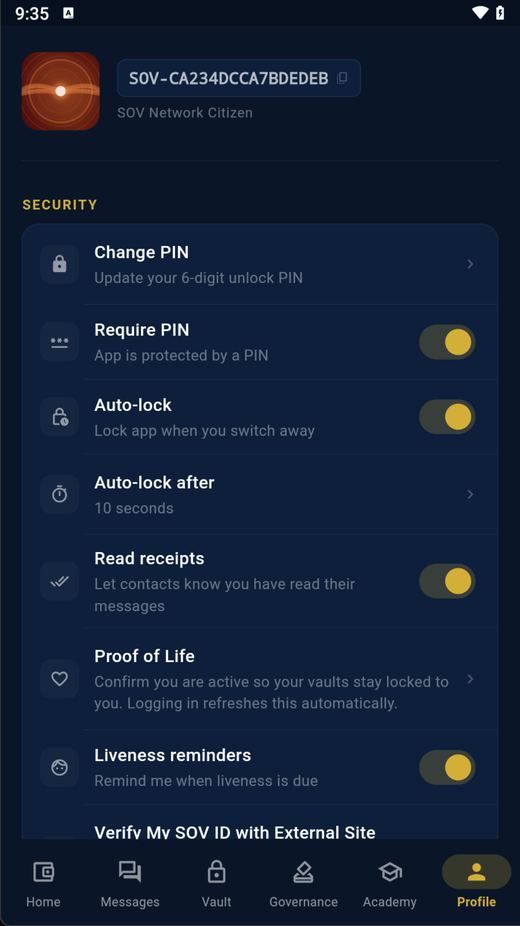
Profile and security 1 2

Profile & security

Phone + Desktop
  1. Set or require a PIN so no one else can open your wallet
  2. Proof of Life keeps your vaults sealed to you
10

Connect your website

Any website owner can add "Sign in with SOV" — registered straight from the wallet, no server setup.
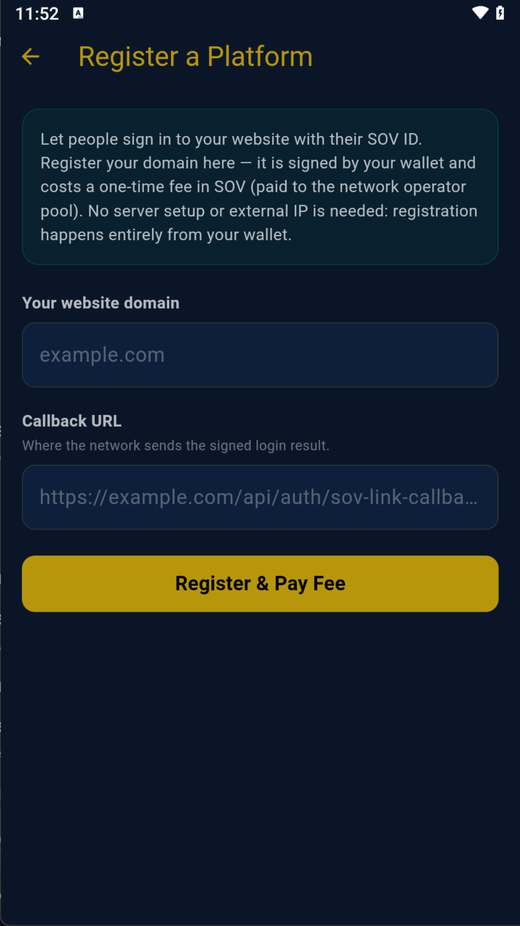
Register a Platform 1 2 3

Register a Platform

Phone + Desktop

Profile → Register a Platform. Your registration is signed by your wallet; a one-time SOV fee goes to the node operator pool.
  1. Enter your website's domain
  2. Your callback URL — where the network sends the signed login result
  3. Tap "Register & Pay Fee" — done. Citizens can now sign in to your site with their SOV ID
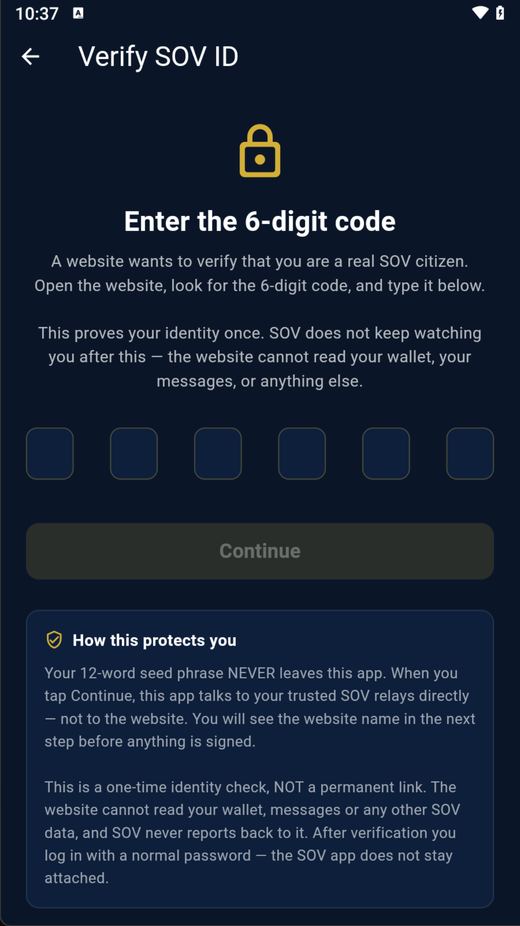
Signing in to a website 1 2 3

Signing in to a website — what the citizen sees

Phone + Desktop

On the website they click "Sign in with SOV"; the wallet shows this. They type the 6-digit code from the site — one tap proves they are a real, unique human.

  1. The website shows a 6-digit code — type it here
  2. It proves your personhood ONCE — the site never sees your wallet, messages, or anything else
  3. Tap Continue — you are signed in as a verified human, no password

Download

Self-contained apps for every platform. Verify the signature — no host is trusted.

Android APK

Install directly.
Download APK

Windows portable

Portable — also runs as a full node.
Download for Windows

macOS .app

Also runs as a full node. Unsigned/ad-hoc — first launch needs right-click → Open.
Download for macOS

Linux

Run a node or the wallet.
All downloads & source

Verify

Every release ships a threshold-signed manifest + signature — check it before installing.
manifest · signature

The signed update manifest isn't published yet — verify the APK/Windows/macOS package checksums against the release page in the meantime.

GitHub down or blocked where you are? Every SOV node seeds these files directly over BitTorrent — no account, no company, nothing to suspend. Get the magnet links →

Learn & run it

Everything is public — read before you install, and host a node yourself.

Knowledge Bank

Why SOV exists, how to use it, and the protocols behind it — identity, fees, governance, justice, SOV Link.

Read the Knowledge Bank →

Run a Node

Host a node on Oracle / Google / AWS or your own Windows PC — including the firewall rules that actually matter — and earn the operator payout.

Read the operator guide →